Create an invoice online for free

Invoice generator for OSVČ in Czechia: company details come from ARES by IČO, a payment QR code is added automatically, and the PDF downloads right away. No sign-up, nothing to install. Below: how to issue an invoice correctly, step by step.

Free, no registration Your data stays in your browser 4.9 on Google Maps

Create an invoice online in five steps

Enter your details and the customer’s, add the items and download a ready invoice as a PDF. Everything is calculated in your browser: it is free, there is nothing to install, and your data stays with you.

1 Supplier — that’s you

Enter your IČO — the name and address are pulled from ARES. Details are remembered in this browser, so you do not need to type them next time.

2 Customer

Start typing the name or enter the IČO — details are pulled from ARES. Fill in foreign customers manually.

3 Invoice details

4 Items

What you sold: description, quantity and price per unit. Write the description in Latin letters, in Czech or English (for example: Konzultace, Překlad dokumentů, Registrace firmy): the invoice is issued in Czech, Cyrillic is not accepted. No VAT is added: you are not a VAT payer. VAT is added at the rate chosen for each item.

DescriptionQtyUnitUnit priceVATTotal
Total0,00 Kč
This is how the invoice will look

Your data is stored only on this device.

How to issue an invoice in Czechia: 5 steps

Issuing an invoice is easy once you know what it must contain. This order suits both an OSVČ and a company, with or without VAT: the service points out what is missing.

  1. 1

    Enter your details as the supplier

    Type your IČO: the name and address come from ARES. Add your e-mail, phone and bank account. Next time everything is already filled in.

  2. 2

    Add the customer

    Start typing the customer’s name or enter their IČO: the address and DIČ are filled in from ARES. Fill in foreign customers manually.

  3. 3

    Set the number and dates

    The invoice number is suggested automatically (for example, 2026001), the issue date is today, the payment term is 7, 14 or 30 days. Choose the payment method and currency.

  4. 4

    Add the items

    Description of the service or goods, quantity and unit price. The total is calculated instantly. A non-VAT payer adds no tax; a VAT payer picks the rate (21%, 12% or 0%) for each item and the VAT is calculated automatically.

  5. 5

    Check and download the PDF

    Look at the preview, press “Download PDF” and send the invoice to the customer. For bank transfers it carries a QR code for quick payment.

What an invoice must contain

  • the word “Faktura” and the invoice number;
  • your details: name or company name, address, IČO;
  • the customer’s details: name or company name, address, IČO where possible;
  • issue date and due date;
  • payment method and, for a transfer, the bank account and variable symbol;
  • a description of what is being paid for and the price payable;
  • for a non-VAT payer, a note that you are not a VAT payer and about your registration in the živnostenský rejstřík (trade register); for a VAT payer, the DIČ, the taxable supply date (DUZP), and the rate and amount of VAT.

FAQ: how to issue an invoice in Czechia

Can’t find an answer? Call us — we’ll advise on your situation

Fill in the supplier and customer details (they are pulled from the ARES register by IČO), set the invoice number, dates, payment method and items, then press “Download PDF”. Send the finished invoice to the customer by e-mail or hand it over in person. A step-by-step guide is further down this page.
Use this generator: it is free, needs no registration, has no limit on the number of invoices and no paid “fast access”. The invoice is built in your browser and the PDF downloads immediately.
The invoice must contain the number, your details (name, address, IČO) and the customer’s details, the issue date, due date, payment method, description of goods or services, the price, and for a bank transfer also the bank account and variable symbol. For a VAT payer the DIČ, the taxable supply date (DUZP), the rate and the amount of VAT are added. The generator checks these fields before you download.
No. The service works without registration and without an e-mail: open the page, fill in the data, download the PDF.
Only in your browser, on this device. We do not receive your details, your customers’ details or the amounts. The only external request goes to the state ARES register when you enter an IČO or start typing a customer name (only that text is sent). If you clear your browser data, what was saved is lost, which is why there is a backup button on the page.
For OSVČ (sole traders) and companies, whether or not they are VAT payers. A non-payer’s invoice has no VAT, DIČ or DUZP. If you are a VAT payer, tick “I am a VAT payer” (it is detected from the IČO automatically): the DIČ, the 21%, 12% and 0% rates, the taxable supply date (DUZP) and a VAT recap appear. Reverse charge, advance and correction documents are not covered: ask an accountant in those cases.
No. An invoice that you send by e-mail or hand to a customer does not need a signature or a stamp.
The PDF is in Czech, as is customary in Czechia. You write the item descriptions yourself in Latin letters. The service interface, hints and explanations are in English.
If you entered your bank account and chose payment by transfer, the invoice gets a QR code in the Czech “QR platba” format: the customer points the banking app’s camera at it and the payment fills in by itself (amount, account, variable symbol).

Issuing an invoice in Czechia: what you need to know

What a faktura is and why you issue one

An invoice (faktura) is the bill you send a customer for work or goods. It is the basis of your accounting: an OSVČ’s income is calculated from invoices, and your accountant takes the data for the tax return and contributions from them. The law does not require a strict form, but the mandatory details must be there. If you are just starting a business, read more in registering as a sole trader (OSVČ) in Czechia.

An invoice from a VAT payer and a non-payer

If you are not registered as a VAT payer, the invoice is issued without VAT and without a DIČ: parties, number, dates, description, amount and payment details. If you are registered, the invoice becomes a tax document (daňový doklad): the DIČ, the taxable supply date (DUZP), the VAT rate for each item (21%, 12% or 0%) and a recap by rate are added. The generator detects your status from the IČO in ARES. Watch your turnover limit: once you exceed it you must register as a VAT payer.

Numbering and variable symbol

Number your invoices consecutively, for example 2026001, 2026002. The number is usually also used as the variable symbol (variabilní symbol): it lets you find the payment in the bank quickly. The generator suggests the next number itself and takes the variable symbol from it unless you set your own.

Issue an invoice for free and without registration

Many online services ask you to register or sell a paid “unlimited” access. Here invoices are unlimited: the form, the calculation and the PDF all work in your browser and your data stays on your device. You do not need to re-enter your details and customers, and a backup is one click away.

When it is better to ask an accountant

For a simple service or product this service is enough. If you sell abroad, work with VAT, or issue advance or corrective documents, it is better to get advice: an error in an invoice can cause problems with accounting and taxes. Consult24 specialists help with registering as a sole trader, setting up an s.r.o., accounting and reporting, and the OSVČ tax calculator helps you estimate taxes and contributions.

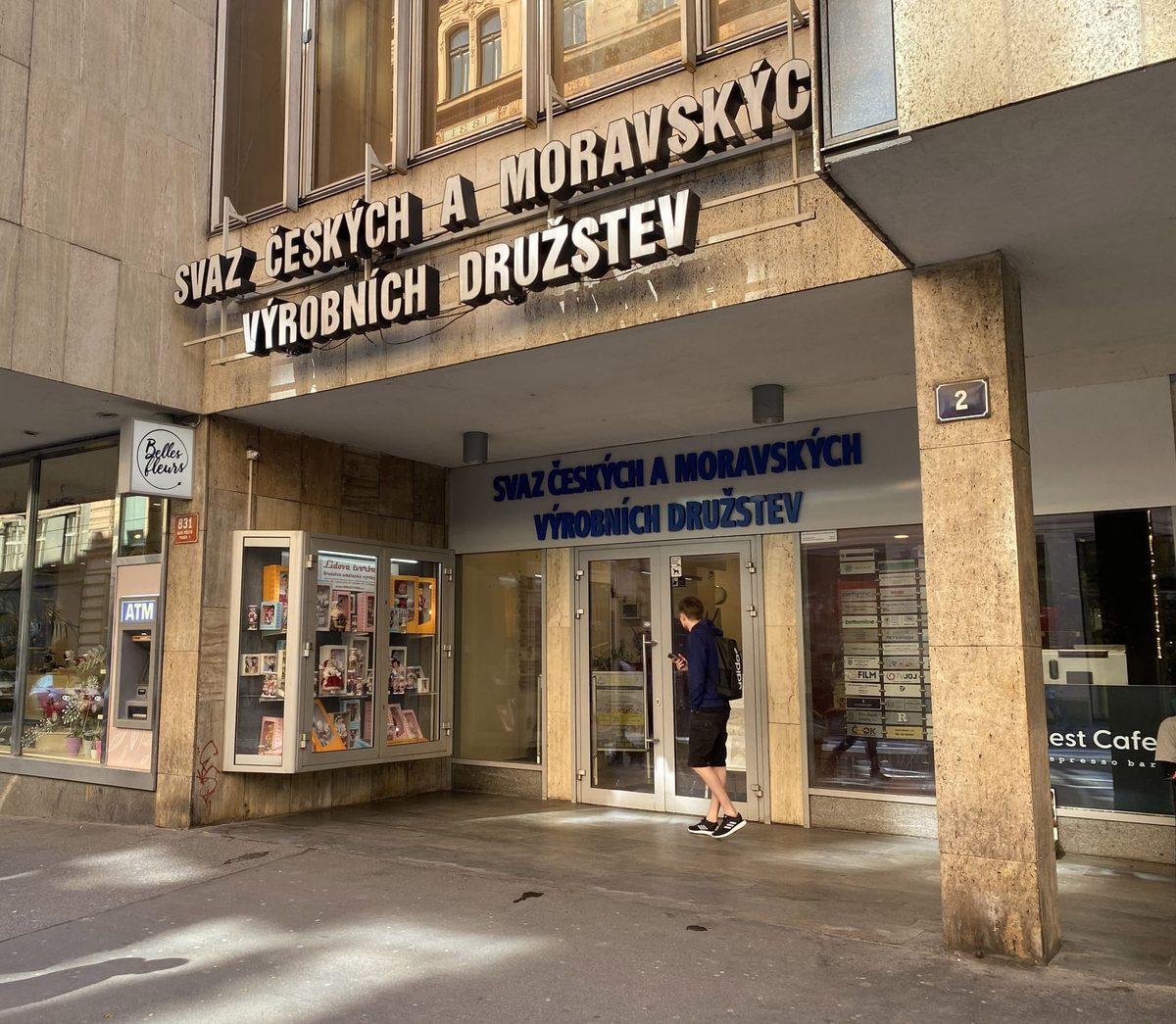
Our office on the map

Jindřišská 831/2, Prague 1 — 2 minutes from Wenceslas Square, Můstek metro station

Entrance to Consult24 office — Jindřišská 831/2, Prague 1
Jindřišská 831/2, Prague 13rd floor, office 353

Consult 24 client reviews

4.9 out of 5 on Google Maps — 65+ client reviews

Need help with invoices, accounting or registering as an OSVČ?

We will register your business, take over accounting and reporting, and show you how to issue invoices correctly

Get a consultation +420 799 565 977

Consult 24 Global s.r.o. is a private company providing consulting and accounting services. The generator helps you prepare an invoice and does not replace advice from an accountant or tax adviser. The author of a document is responsible for its content and correctness. Company details are provided by the ARES register.

Call Request